
A flood triaged overnight
One sentence of policy, applied to hundreds of submissions while you sleep. It ranks and sets aside. It does not reject.
Event management for conferences · source available
Proposals arrive, get sorted and scored. Speakers get chased for their headshots. The schedule gets built and the programme lands on your website. Your part is the yes, the no, and a look before anything leaves.
What an organiser opens to, first thing.
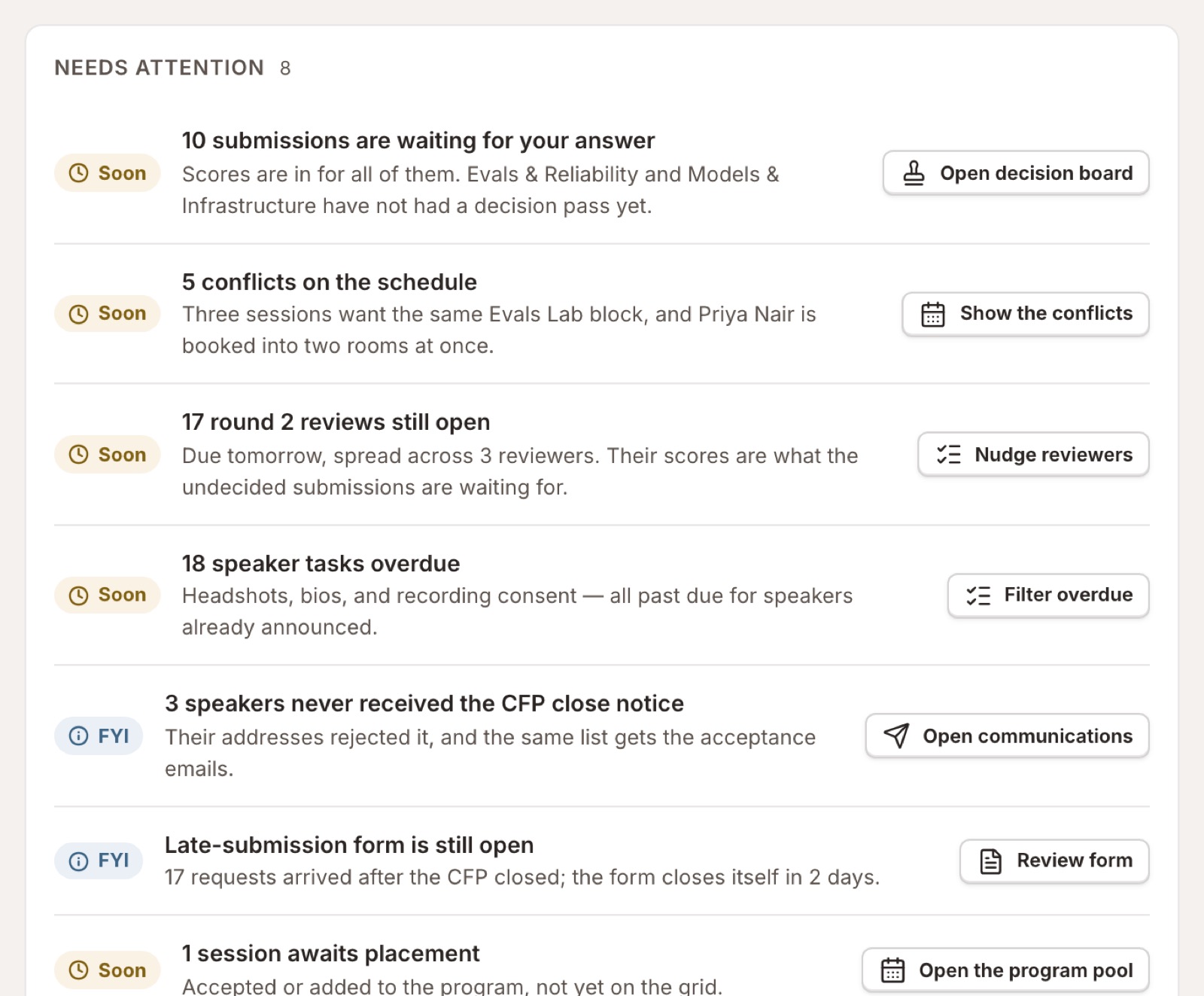
Eight stages, and what each one takes off you.
01 · Call for Speakers
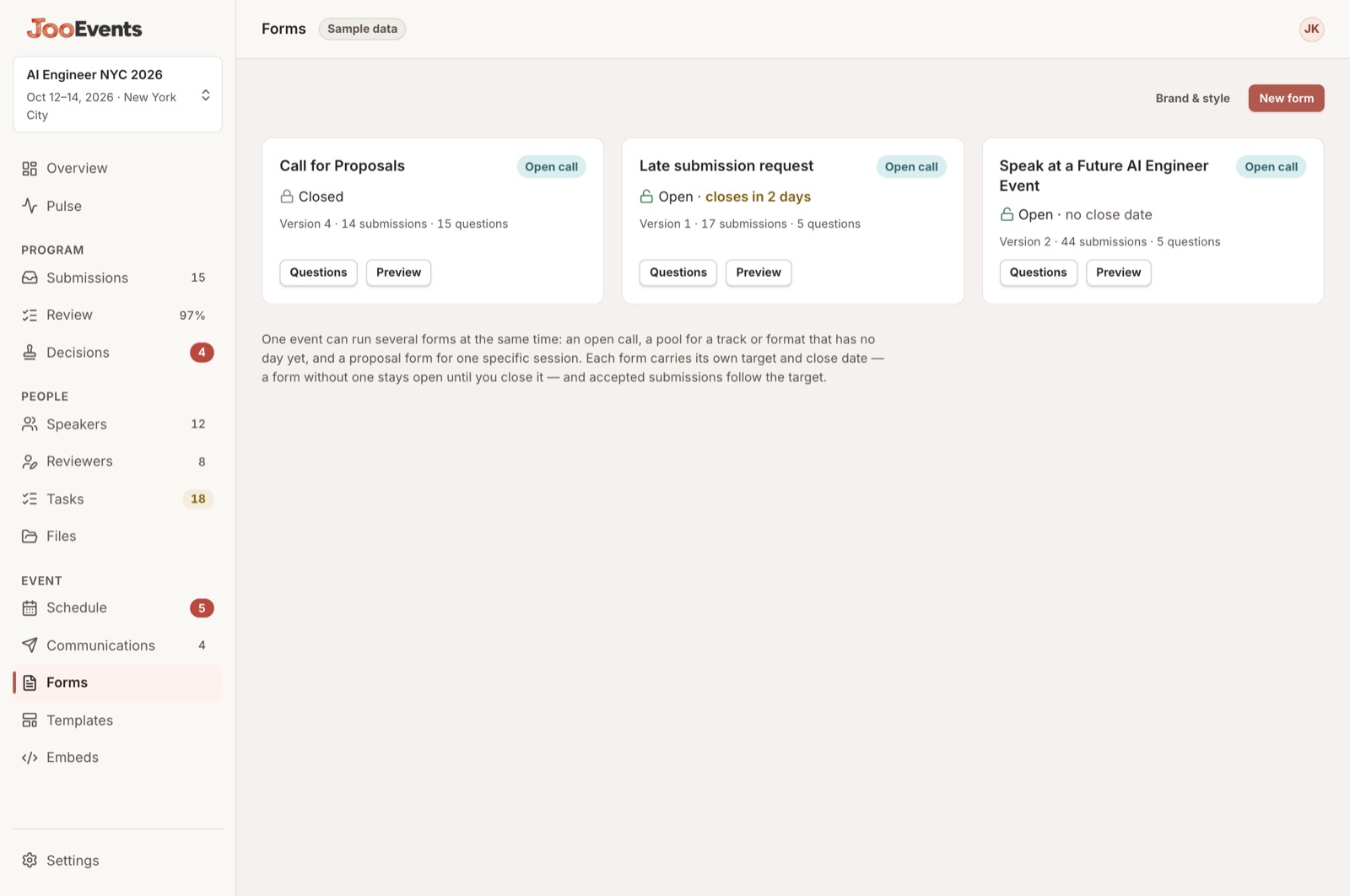
The application form is already written. Change what you want, publish, and you have a link to send.
Run several at once — an open call, a late form, an evergreen one — each pointed at where its accepted talks should land.
Check it out in the demoThree calls running at once
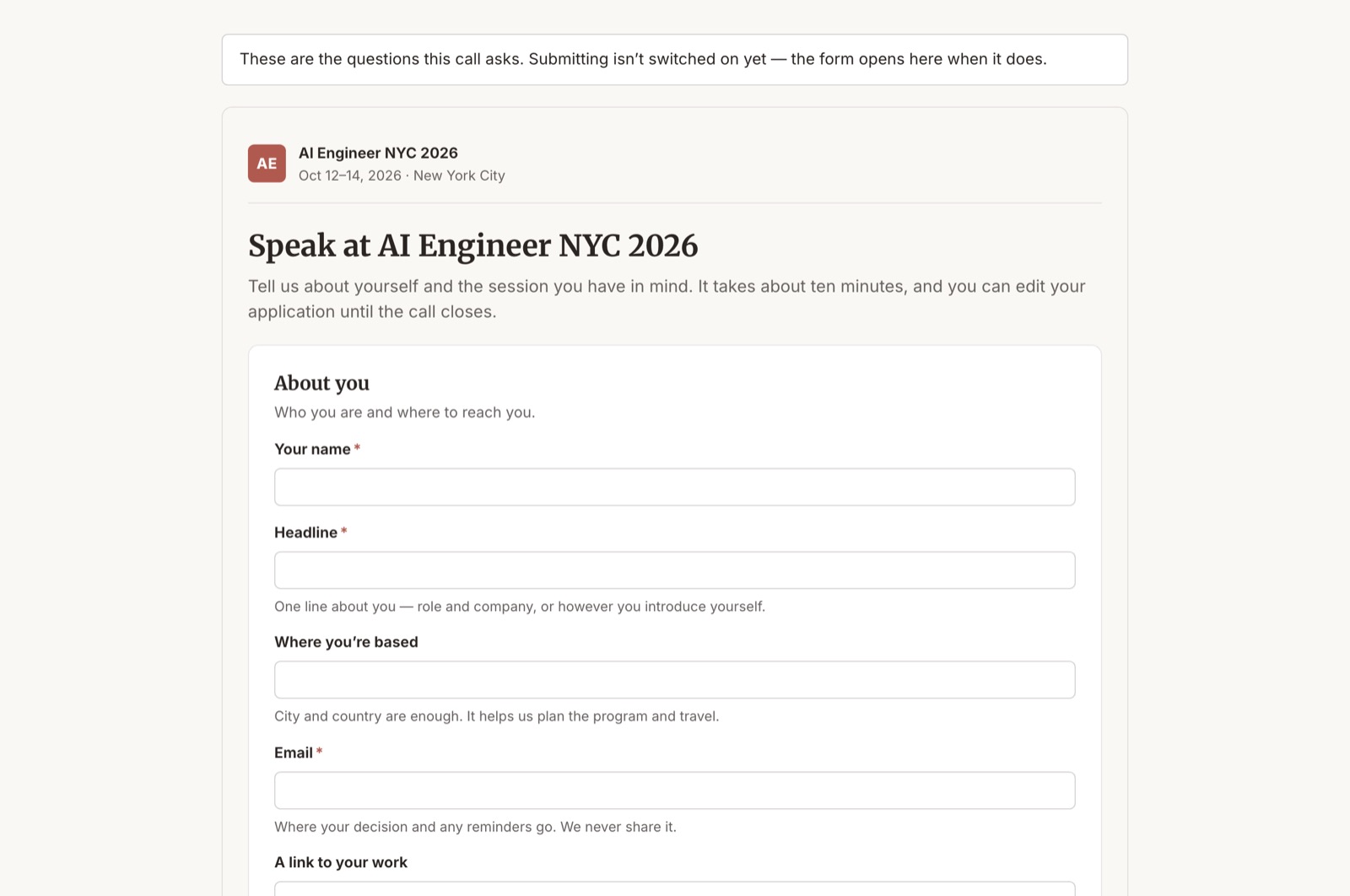
What the speaker opens
02 · Submissions
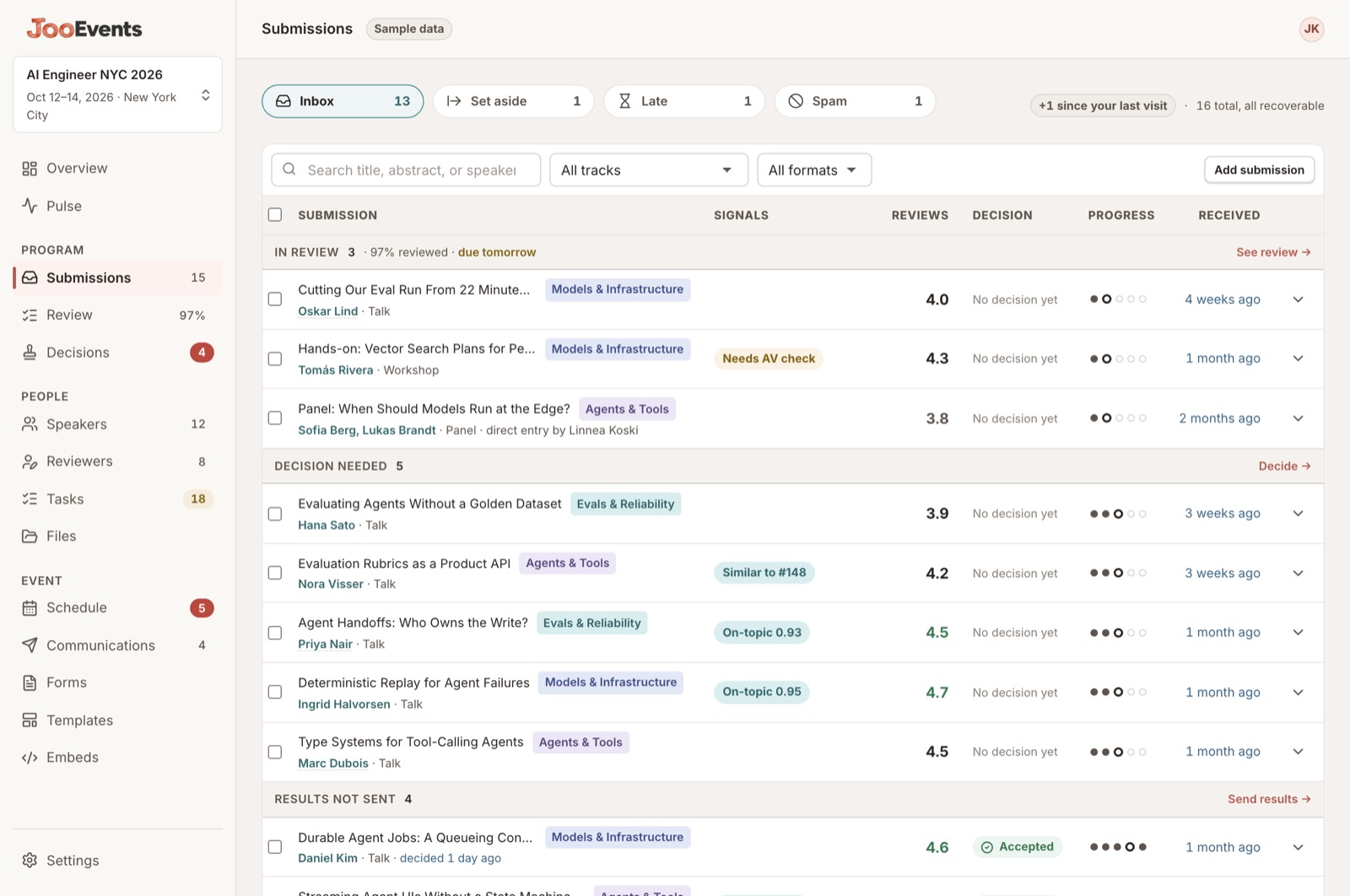
Title, speaker, track, format, score, signals and status — on one row. Nothing you have to go and look up somewhere else.
The pile, sorted
03 · Review
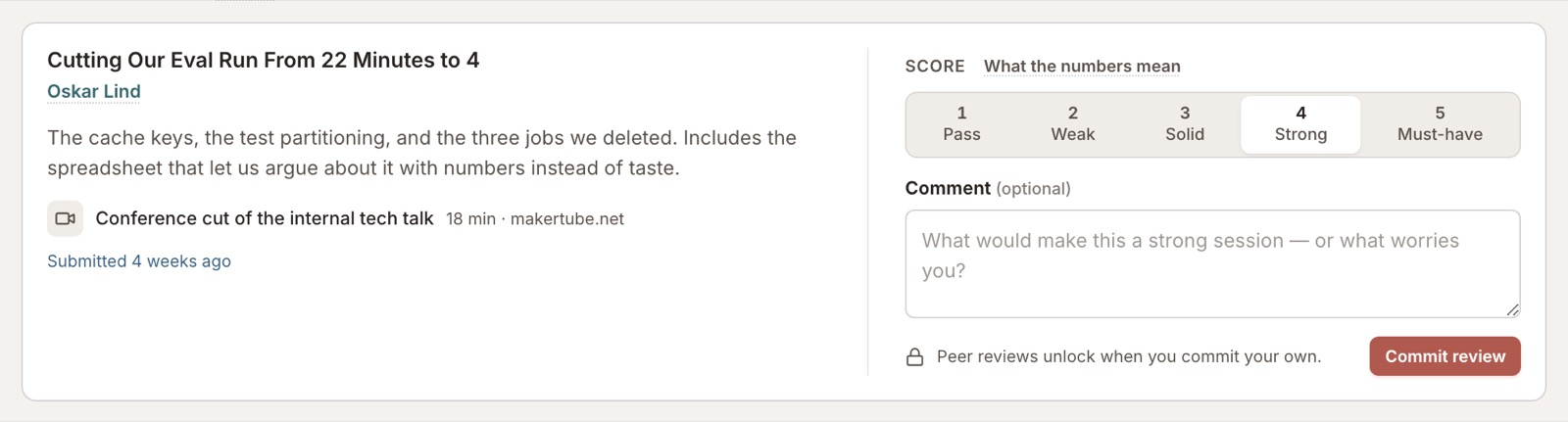
Your committee opens one list and works down it. The abstract, the materials, the score, the notes and where it stands are all on the card.
The chair's roster, and your own queue
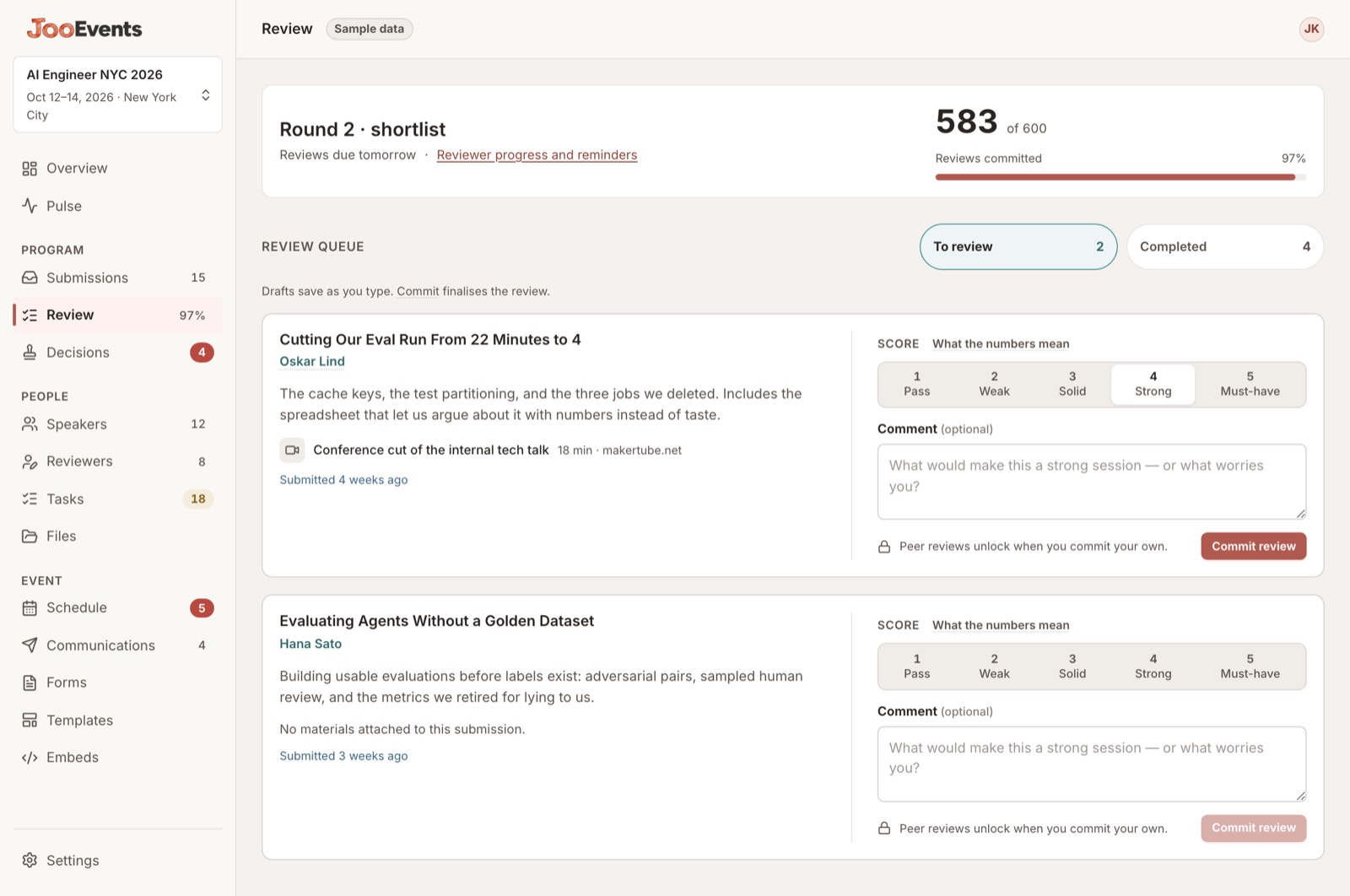
One card, everything on it
04 · Decisions
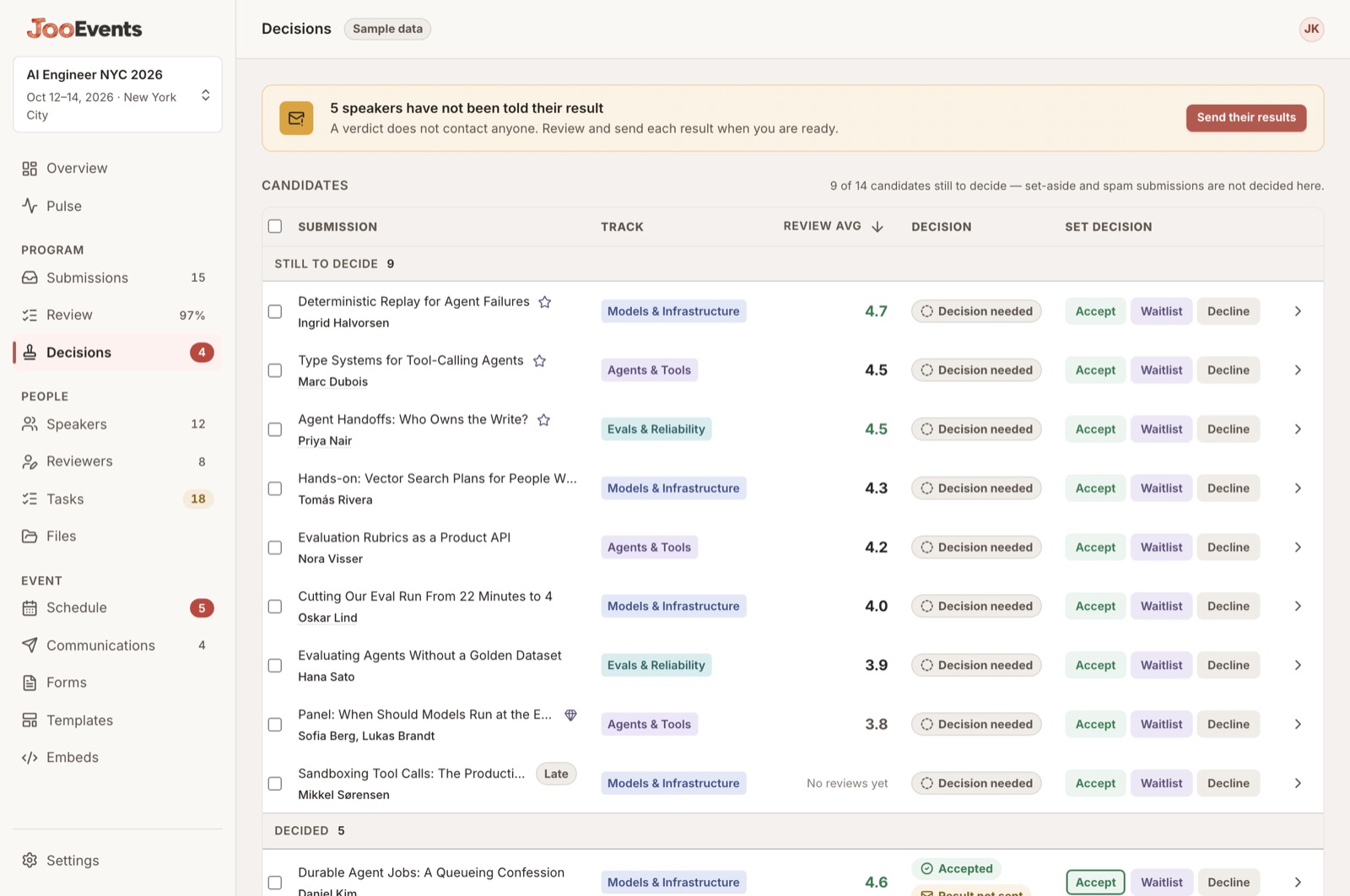
Sorted by score, highest first, with what your reviewers flagged carried across. Every counter moves as you go, and every decision has an undo.
Ranked, decided, nobody told yet
05 · Speakers
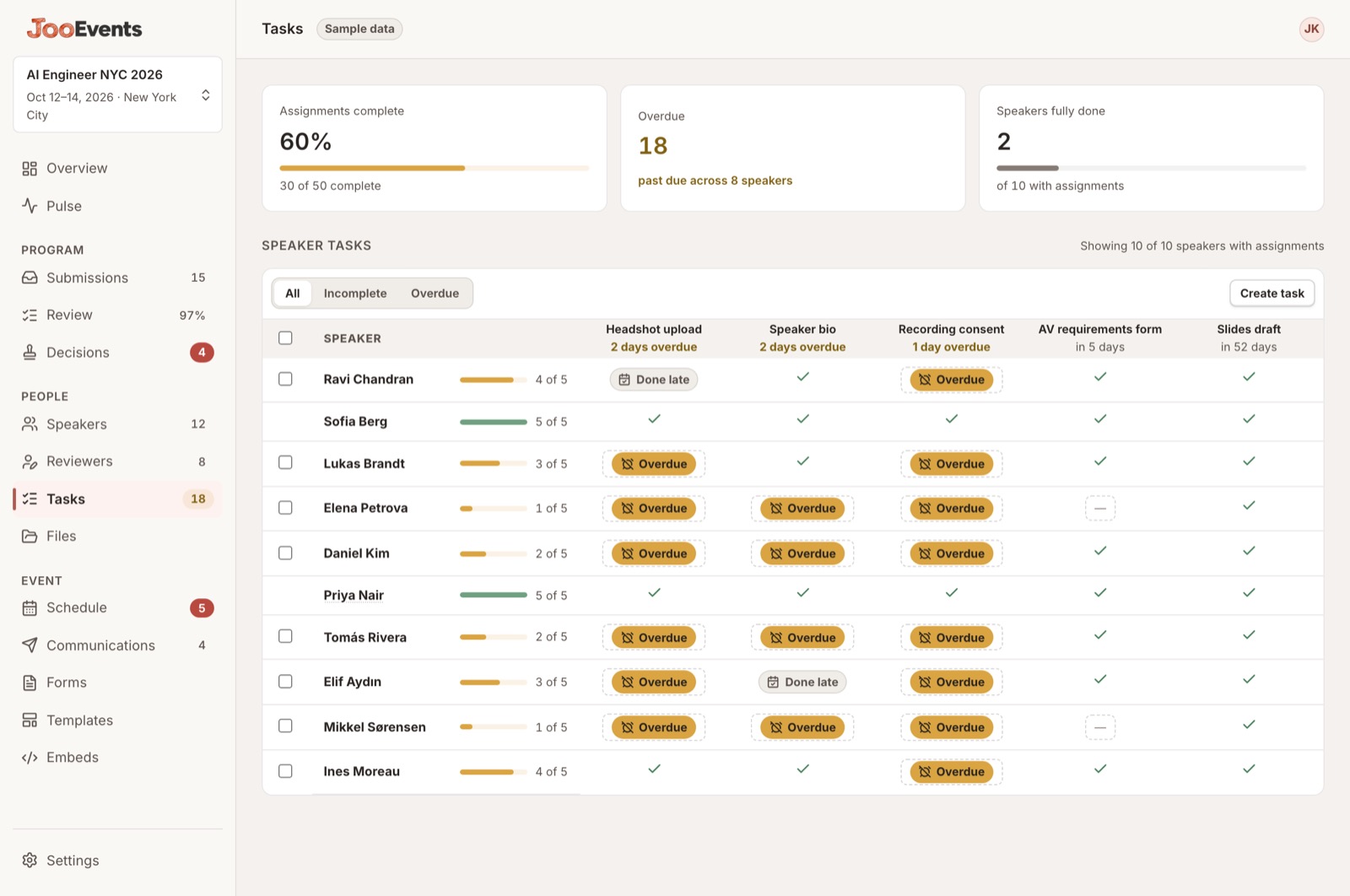
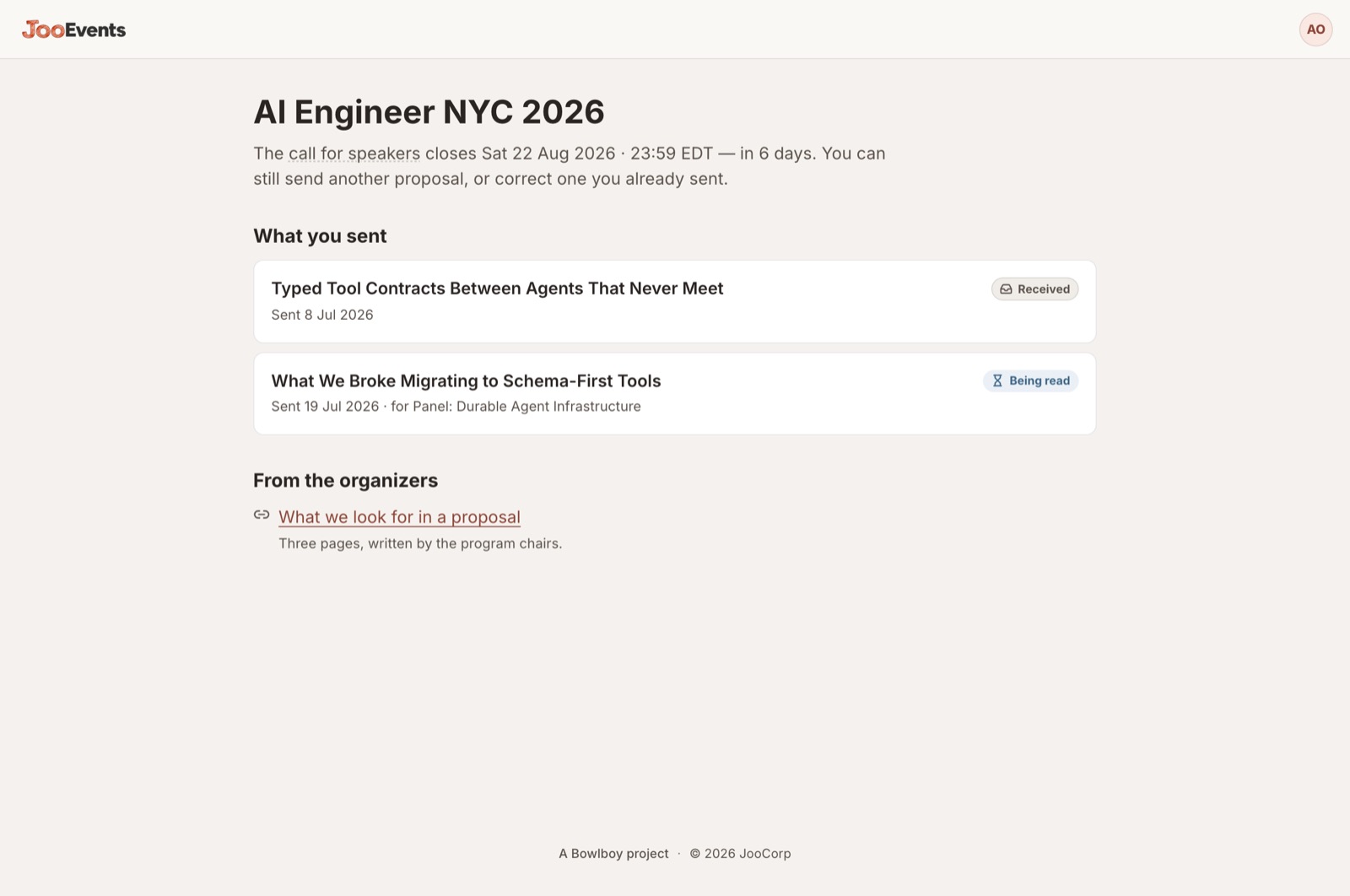
Every speaker down the side, every task across the top — headshot, bio, recording consent, AV form, slides — with the due date on the column and the state in the cell.
New speakers pick up the same checklist automatically. Done late stays distinct from done, so you can see who to build in slack for next time.
Check it out in the demoTen speakers, five tasks, one screen
What the speaker sees — only their own
06 · Schedule
Rooms across, time down, days as tabs. Pick a session, pick a slot, done — and it only ever offers you slots that actually fit.
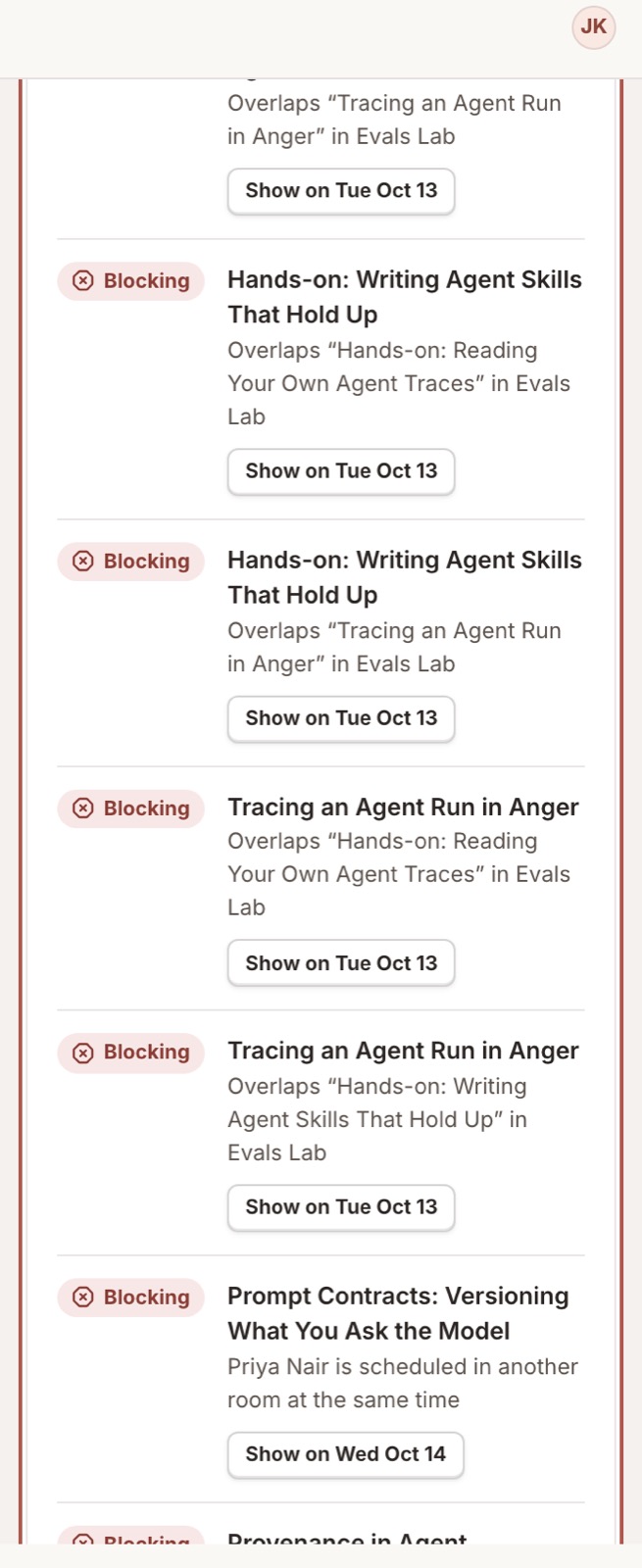
Two days, four rooms, nine clashes
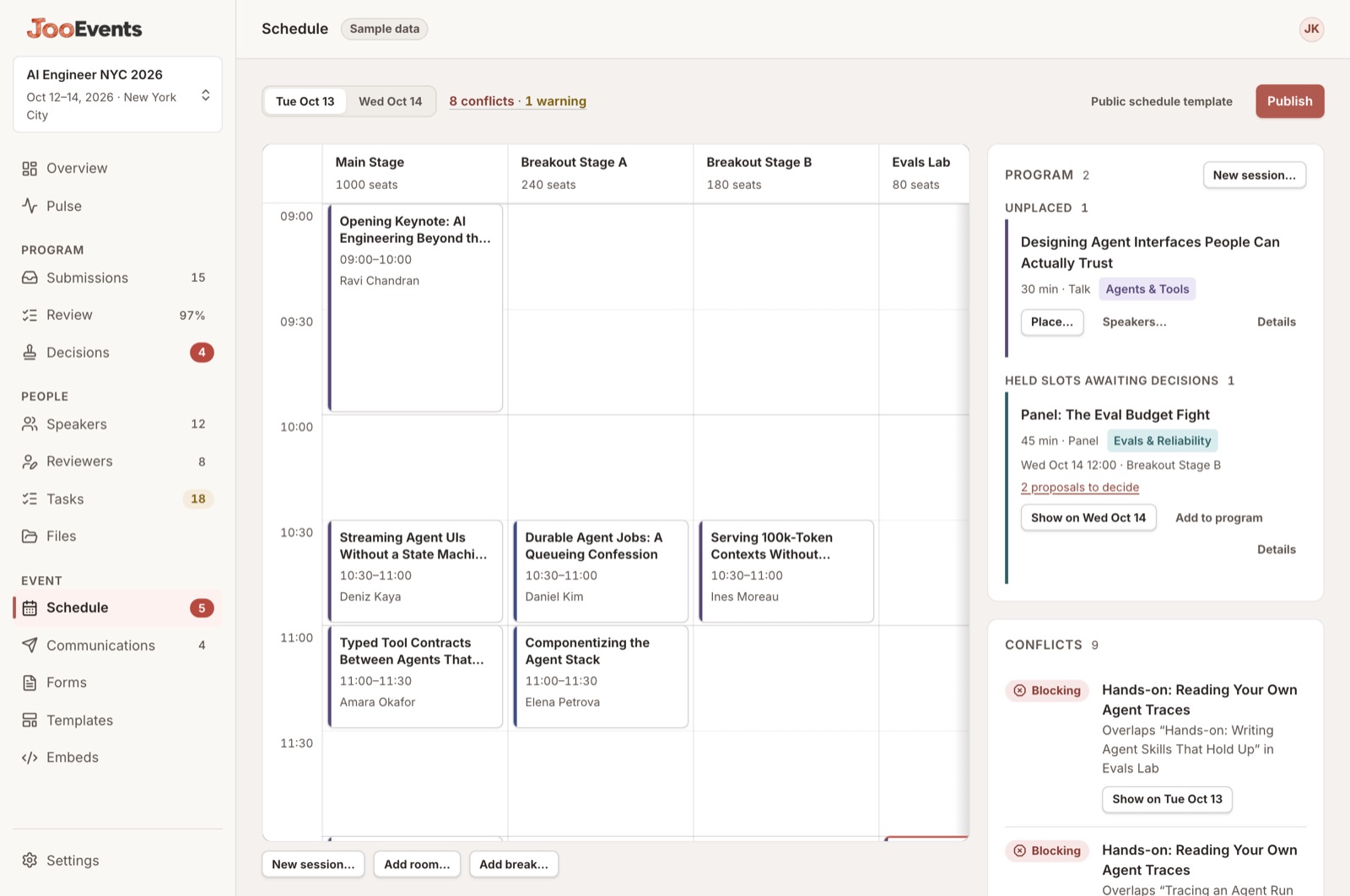
Every clash, named
07 · Publish
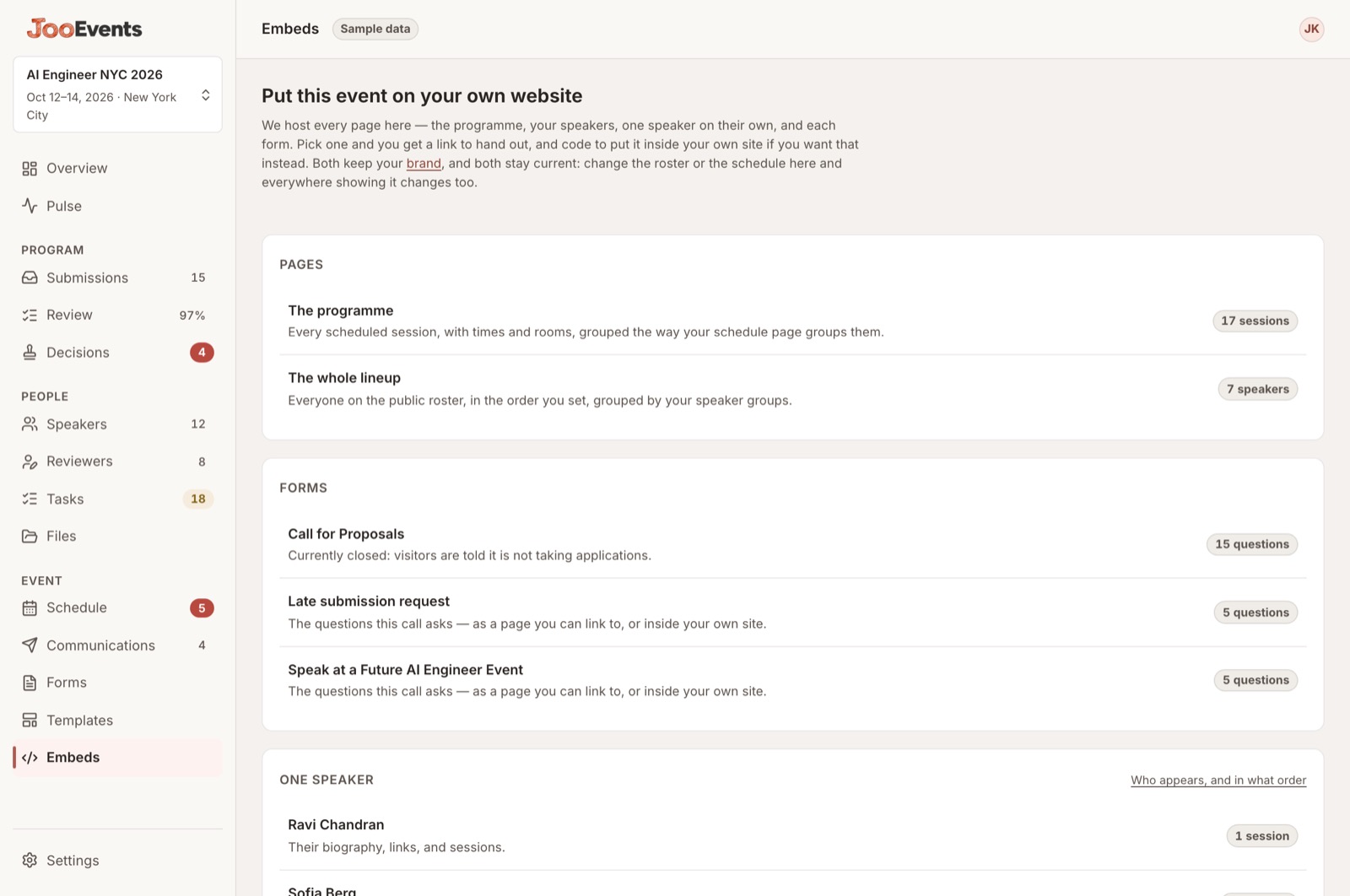
A hosted page to link, or code to paste into your own site. Both carry your brand, and both stay current when you change something here.
Your programme, no login
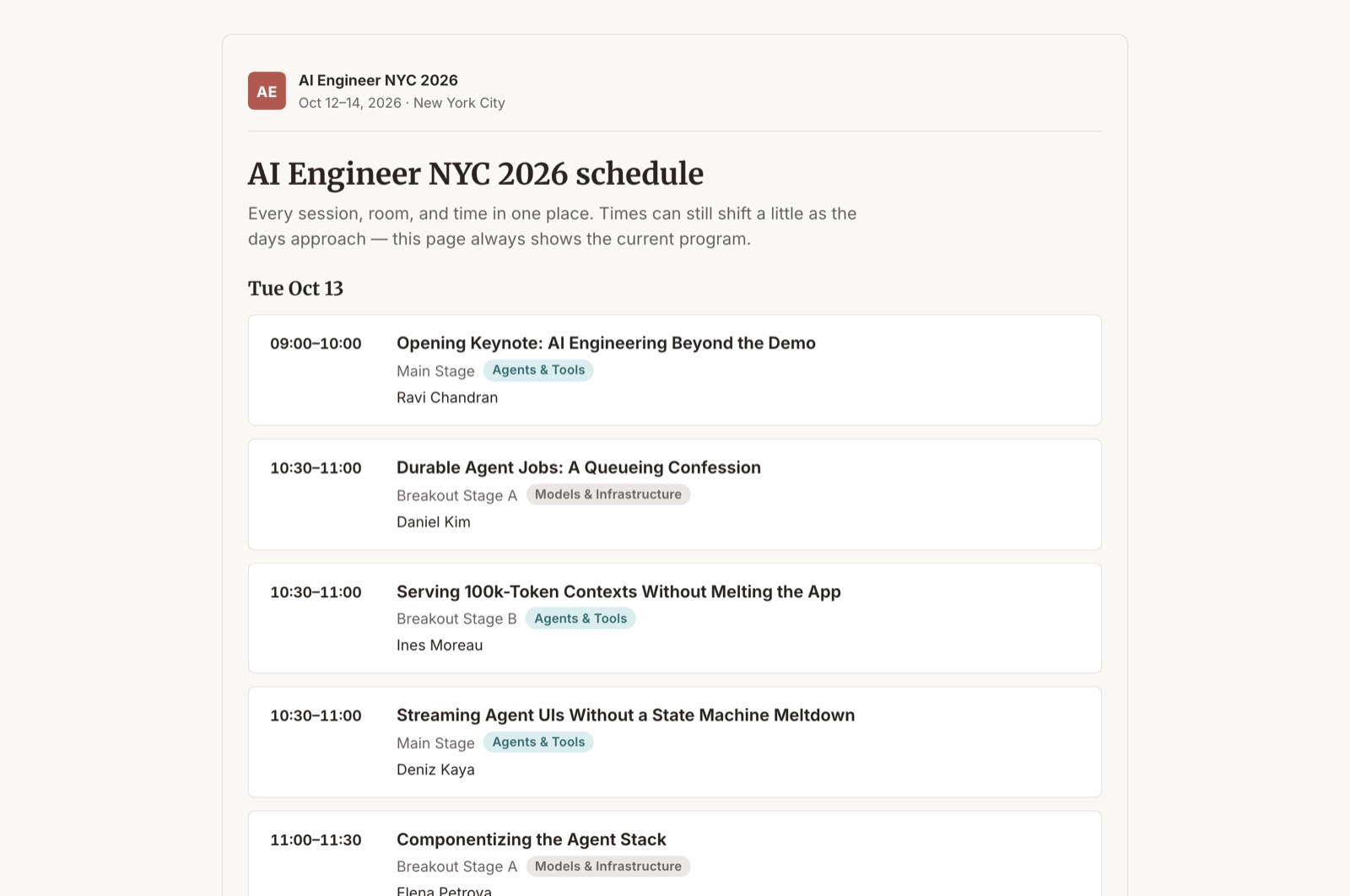
The link, or the code
08 · Emails
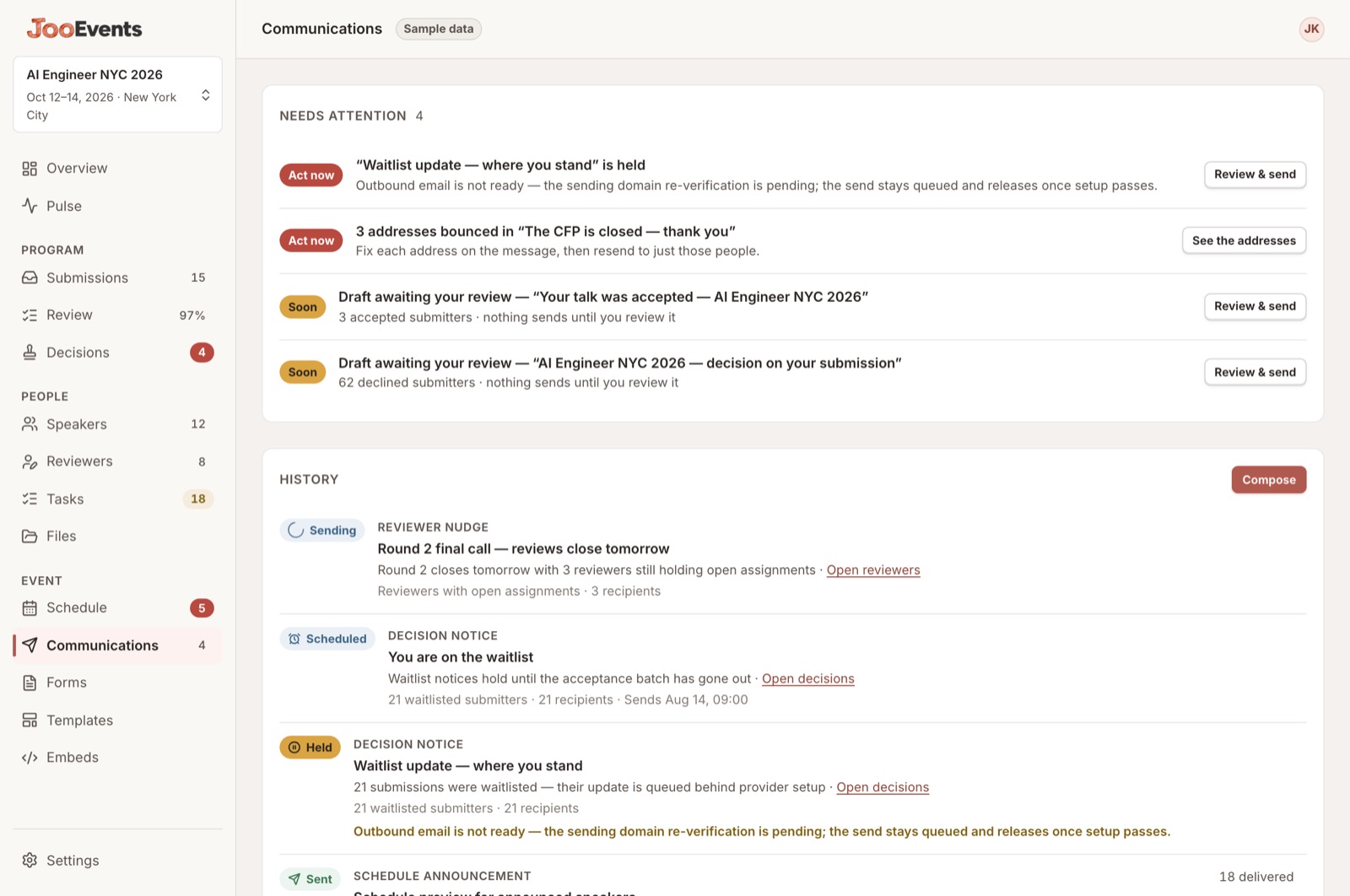
Acceptances, declines, waitlists, reminders, schedule announcements — all drafted, with each person's own decision in their own copy. Read it, change what you want, send.
Drafted, queued, sent — and what bounced
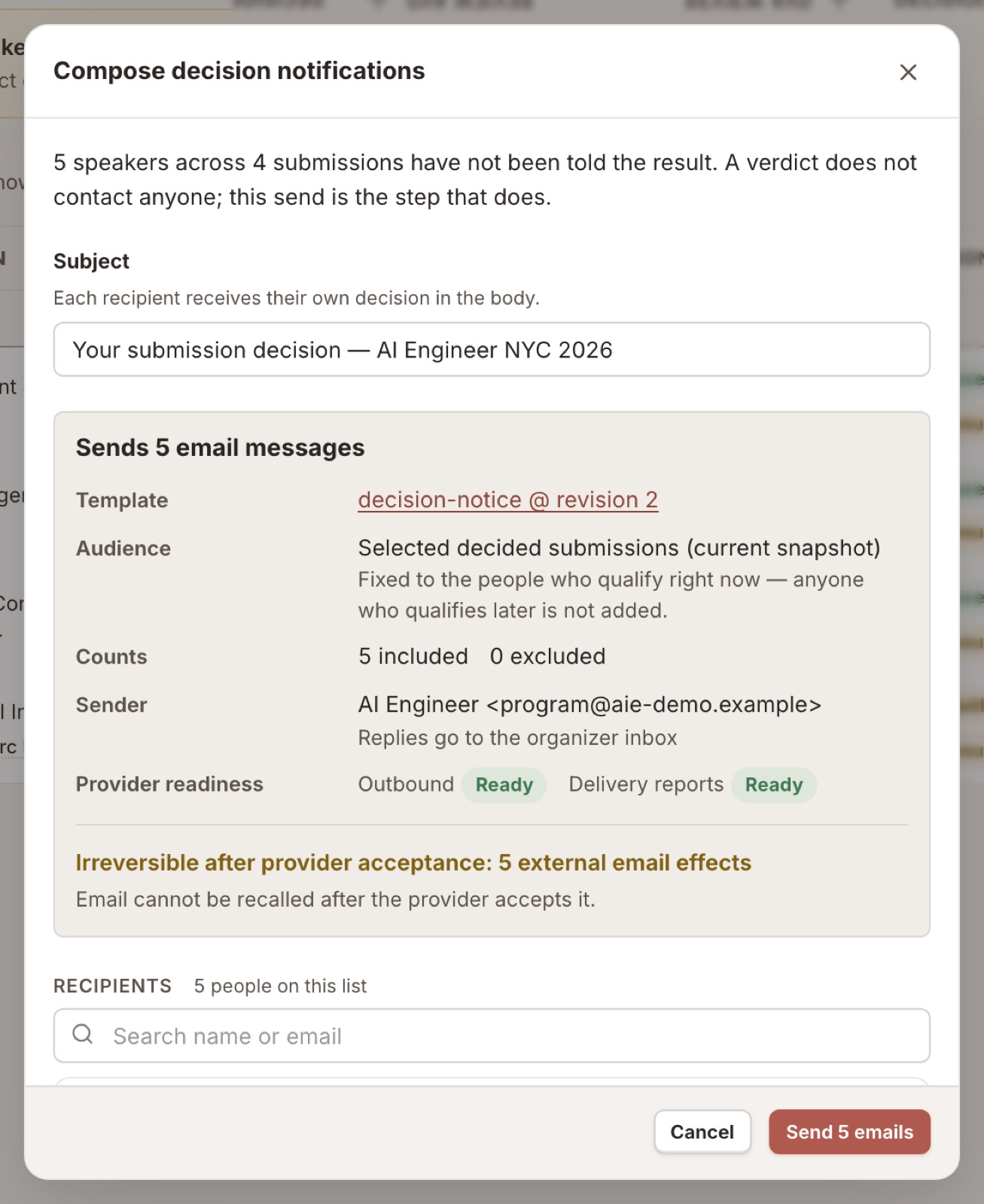
The last screen before it sends
Managed two-way Airtable sync
Some people can run the event in JooEvents while others keep the views, formulas, automations and reports they already use in Airtable. You decide what crosses between them, one area at a time.
Choose separately for speakers, submissions, sessions, schedule and tasks.
Leave that area out entirely.
JooEvents keeps current values in Airtable. Your team can view, filter, report and automate there without Airtable edits changing the event.
Eligible edits can return to JooEvents. Decisions, cancellations, publishing and sends come back as review requests—not as live changes from a cell.
Nine jobs a speaker-management tool has to do. SessionBoard does all of them — that's what it's for. We don't match it everywhere, and the gaps are marked below. Where we do, we've tried to make the job ask less of you.
| What it has to do | SessionBoard | JooEvents | Where we go further |
|---|---|---|---|
| CFP forms, conditional logic, category routing | Yes | Yes | Level |
| Self-service speaker portal for bios, headshots, slides | Yes | Yes | No passwords to manage or reset, ever |
| Templated comms, reminders, calendar invites | Yes | Yes | Drafts written for you — you vet rather than write |
| Scoring workflows, multiple rounds, AI-assisted review | Yes | Yes | Blind until commit, every score set against its track, marks capped |
| Drag-and-drop agenda, conflict detection, several views | Yes | Yes | Refuses to publish over a blocking clash |
| Live dashboard of speakers with outstanding tasks | Yes | Yes | The whole overdue list chased in three clicks |
| Embeddable speaker gallery and schedule itinerary | Yes | Yes | Level |
| Resource and wiki pages inside the portal | Yes | Partly | Organiser resources yes. A full wiki, not yet |
| One-way Accelevents handoff | Yes | Partly: manual export, no API connection | Manual export: Accelevents-format CSVs in a ZIP, not an API connection |
| What it costs | $40k+ a year | Free | Yours to fork |
| Where it runs, and who holds the data | Their servers | Yours | Cloudflare, or one machine you own |
What a table can't settle is what either one is actually like to use — the flow of it, whether a Tuesday morning feels lighter. That part is a judgement call, and both are open in a browser tab.
Short answers, each with a link straight into the demo so you can check it. Pick a subject, or read the lot.
Yes. The review screen splits the chair's roster from my queue, which is scoped to the person signed in. Open review
Not until they've committed their own — the card shows a locked line instead. Afterwards the record keeps any change of mind: revised from 3 after unlock. Try committing one
The scale defines behaviour rather than adjectives, every score is shown against its track's spread, and a reviewer can line one review up against their own others before revising it. See a scored card
No. Signals are advisory and carry their reasoning. The strongest act automation is permitted is set aside; only a person discards. Click a signal
They get ranked, clustered and flagged so your attention goes to the right ones first — not auto-rejected. Everything filtered out stays in a named tray with a way back. Open the trays
No. Discards stay recoverable for the life of the event — even the one marked Spam 0.98 has a restore button. Restore it yourself
Submit is idempotent. The server issues a continuation bound to that exact action first, so a lost response resumes or reports the truth rather than making a second submission or losing it.
Until it's been sent, yes — single decisions get an undo, and the bulk confirmation says so. After sending, the mail is gone and the product says that rather than offering a recall button that doesn't work.
Editing of on-time submissions locks, and anything arriving afterwards lands in a counted late tray instead of being silently taken or silently refused. See the late tray
Editing mints a new version, and every submission records the version it answered. Old answers keep the questions they were actually asked. Anyone mid-application is carried forward, or prompted — never silently emptied.
No. Deadlines are anchored rather than copied — to the event start, to another deadline, or to a per-person milestone like two weeks after they confirmed. Move the base and the rest follows.
Not a blocking one. A room double-booked or one person in two rooms stops publication. A room smaller than expected demand only warns. Try it
No. The portal for a speaker whose talk is accepted-but-unsent still reads Received. It can't leak because the speaker-facing data has no field for scores, reviewers or triage at all. Check the portal
The lineup shows 7 of 12 speakers. Guess the address of one of the other five and it refuses — the gate is re-checked per person, not applied once to a list. Go and try
None, anywhere. Signing in proves an email address. Nothing to reset, nothing to support, and assistants work without anyone sharing credentials.
No — public pages carry noindex until you turn it on, one switch for the event.
The links work exactly the same either way.
Bun and TypeScript end to end. SvelteKit for the interface, Hono for the HTTP layer with a generated OpenAPI document, SQLite behind a persistence layer with versioned migrations, and one typed operation registry that the interface and any agent both call — permissions, idempotency and the audit trail live in that layer rather than in route handlers. Deploys to Cloudflare Workers, or self-hosted on a single machine.
Navigating the interface costs no server round-trip, which is most of what makes an operations tool feel slow. The demo build is 475 KB over 53 requests for the whole operator console and 227 KB over 27 for a public page — measured, not estimated. A full deployment adds the API calls behind those screens, so treat the payload as the honest number and the timings as your own to check.
That's the first production target, not an afterthought. One Worker runs the Hono application and serves the interface: D1 for the relational data, R2 for files, Queues for background work, and a Cron Trigger to wake the scheduled jobs. The demo you're clicking is already a Worker, deployed by script.
The same code also runs on one machine you own — Bun, a SQLite file, local or S3-compatible storage, SMTP. The domain code doesn't know the difference; only the adapters do.
Worth being precise, because it's a common trap: a Worker has no disk. It is ephemeral and stateless by design, so "the SQLite file on the server" isn't a thing that can be lost — there is no server holding one. Every Worker instance is disposable, and the data lives in services bound beside it.
It is still SQLite. Cloudflare's D1 runs SQLite for you: the same dialect, the same schema, the same queries, in your own account. What changes is how the app reaches it — a binding rather than a file handle — which is one adapter, not a rewrite. Nothing is hosted with a third party you have to trust separately.
What you get for that: replication and point-in-time recovery, so an instance dying costs you nothing. What you give up: a file lock and long-running interactive transactions, so writes that must land together go through D1's batch contract instead. Self-hosted, it's an ordinary SQLite file on a real disk, and backing it up is your normal file backup.
Background work never depends on a process staying alive either: outbound sends and jobs are written into the database in the same transaction as the change, then drained. A restart mid-flight resumes rather than loses.
Yes. Connect a base and choose separately for each area: leave it out, keep Airtable updated from JooEvents, or let eligible edits move both ways. That means one team can use JooEvents while another keeps the Airtable views, formulas, automations and reports it already knows.
Two-way does not make every cell equally authoritative. Protected changes return as requests for review, and a same-field clash becomes a visible conflict rather than a last-write-wins overwrite.
Yes. Run it for your events, across your org, free — a standing yes rather than a trial, and no licensing conversation to have. Fork it and keep it if you want to.
The one thing worth saying plainly: it is source-available rather than OSI open source. Apache 2.0 is still on the table and not promised.
No account, nothing to install, and no real data anywhere — the demo is a fictional conference running in your own browser tab. Every control works, nothing is stored, and a reload rebuilds it.
Built for agents from the start
JooEvents gives the agent you already use a way in. It can inspect the work it is allowed to see, do the safe reading itself, and return exact changes for your approval — with the same permissions and trail as the interface.

Your agent
Reads, and drafts

One diff
What changes, and who

Your yes
The only step that is yours
Committed
Recorded, and reversible
Bring the agent you already use
Give your agent one short page. It finds the connection guide, learns what this JooEvents workspace allows, and tells you when it needs your approval instead of guessing.
What is llms.txt? The “start
here” page for an agent: a small contents page with the right guides and links, written so it
can find its own way around.
Create a key for the job: assistant, dashboard, schedule display, or exact permissions. It can never reach beyond your own access.
The key is shown once and goes into the agent's usual secret store — never a chat, document, or pasted prompt.
Allowed reads happen directly. A change comes back as a named plan with a review link; nothing changes until a person approves it.
One sentence of policy, applied to hundreds of submissions while you sleep. It ranks and sets aside. It does not reject.
Drop last year's spreadsheet or a photo of the wall onto the grid and get draft placements to accept, adjust or throw away.
“Ask workshop submitters for their equipment needs, but only workshops.” You get a real conditional rule — and the manual builder is still there.
Written from your templates, merge fields resolved, handed back as one list with the rendered content and what can't be undone.
Reads who's outstanding, drafts the reminders, grouped and personalised, for one confirmation.
Not a snapshot restore. It reads the history and drafts a correction that undoes the change and leaves alone what your team did since.
When something is consequential it comes back as a single summary — what changes, who it touches, what it conflicts with — and waits. Reading and drafting never interrupt you at all, so it isn't asking permission eleven times to do one job.
There is no path from model output to live data. It holds no raw query tool and no generic record-writer, and it can't approve its own work or grant itself permission.
Abstracts and inbound mail come back as data, never as instructions. Injection lands you in a review queue, not in the programme.
Same operations, same permissions, same audit trail — with agent reads logged even where the equivalent human read isn't.
Pre-release, actively built, and not yet carrying anyone's real event. The remaining gaps from your brief are here rather than left for you to find.
Nothing here carries a date, because the work is sequenced by what it depends on rather than by a calendar.
The fastest four minutes: open the overview, and do whatever it tells you is behind. That path is the whole argument.